Course Evaluations
Continuously collecting informal feedback plays an important role in faculty and students co-creating their learning environment. Additionally, as students complete a course, they will have an opportunity to provide formal feedback on the course and their instructor. NLU partners with Campus Labs to use IDEA surveys as our primary course feedback tool.
Increasing Student Participation in IDEA End-of-Course Surveys
Student feedback is a powerful tool for improving teaching and learning. This resource gathers tips and best practices from NLU faculty with high IDEA survey response rates. Use these strategies to boost participation and ensure meaningful feedback on your teaching.
Start small! Check out our colleague recommendations below and choose one or two of these strategies to try this term. Small steps can lead to big improvements in participation and quality of feedback. Need help implementing any of these tips in your course? Reach out to the Center for Teaching and Learning Excellence (CTLE) at ctle@nl.edu for support.
Values-Based Messaging
Connect survey participation to students’ role in shaping learning experiences.
- Explain how you’ve used feedback in the past to improve your course.
- Emphasize that their input makes a difference for future students.
- Reassure students that surveys are anonymous and won’t impact their grades.
Example: “I say, ‘You’re moving on from this class, but I’ll still be here teaching it—your feedback helps make it better for future learners.’”
– Liz Scola, Faculty Contributor
Communication Best Practices
Regular, personalized communication makes a big difference.
- Post the survey link in multiple places: D2L announcements, assignment lists, weekly slides, and emails.
- Use affirming or personalized messages to encourage participation.
- Remind students that their feedback is reviewed and acted upon.
Example: “I email students during Weeks 3, 5, and 8, and include the IDEA link in my Week 8 message when engagement is highest.”
– Jamillah Gilbert, Faculty Contributor
In-Class Strategies
Encourage completion by making time for it in your course structure.
- Dedicate class time (face-to-face, Zoom, or asynchronous) for students to complete the survey.
- Frame it as part of your normal weekly schedule or as an “exit ticket.”
- For blended/online courses, embed the survey in weekly modules or reflection activities.
Example: “I dedicate 15–20 minutes of class time and let students know how much I value their feedback.”
– Ebony, Faculty Contributor
IDEA Completion Activity
Motivate students to submit their feedback with an activity that recognizes their completion of the IDEA survey.
- Create an activity, like a discussion board prompt, asking students to submit a screenshot shot of the IDEA thank you screen.
- Remind students of the value of student feedback to inform course and teaching development.
- Remind students that their participation is anonymous.
- Clearly explain that it’s for effort, not the content of the responses.
Technology Tips
Use available tools to streamline and normalize participation.
- Create a Dropbox or discussion board for students to upload a screenshot of the thank-you screen.
- Embed the IDEA link directly into your course shell in obvious locations.
- Include the survey in your list of weekly assignments to keep it visible.
Example: “I set up a forum just for students to upload their completion screenshot—it’s simple and effective.”
– R. Kaelin, Faculty Contributor
IDEA QR Code
Looking to give your students quick access to your survey? They can use this QR code to take the survey on their phone!

IDEA Dashboard
Collecting anonymous feedback from students is an excellent way to grow as an instructor. NLU facilitates this feedback process via the IDEA survey. IDEA results can help you identify opportunities for improvements to your course, including suggestions for teaching methods that you might employ to improve the course. IDEA reports are also used at the college and institutional level in formal and informal faculty evaluation processes.
Visit the IDEA Faculty Portal to find links to an IDEA survey for each of your courses. It is recommended to share these links with your students via D2L announcement and email. Here is a customizable IDEA Email you can use to notify students.
IDEA Email Template
Click below for an email template you can use to notify students about IDEA.
IDEA Feedback Tool
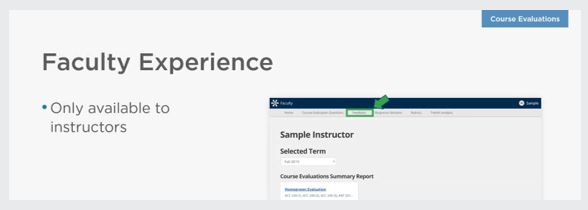
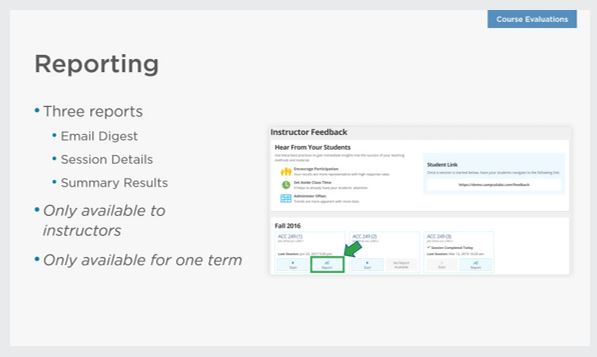
Feedback is a tool within the IDEA dashboard that allows faculty to receive formative feedback from students throughout the term/semester, as often as once per day. Faculty have the ability to start a Feedback session in which their students will answer six questions related to high impact teaching practices and a single question that gauges the students overall understanding of the material that was covered.
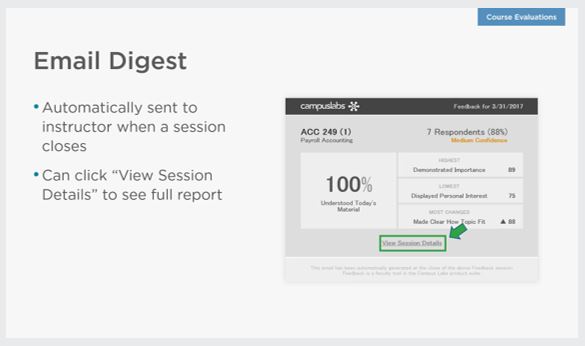
Feedback session results allow faculty to identify trends in student perceptions of their instruction and make improvements as soon as the next class. Feedback questions are based on IDEA’s Teaching Essential form which was designed to provide formative feedback about teaching methods highly correlated with faculty and course excellence.
Here's an IDEA Feedback Tool email template you can use to communicate with students.




Reminders for Students:
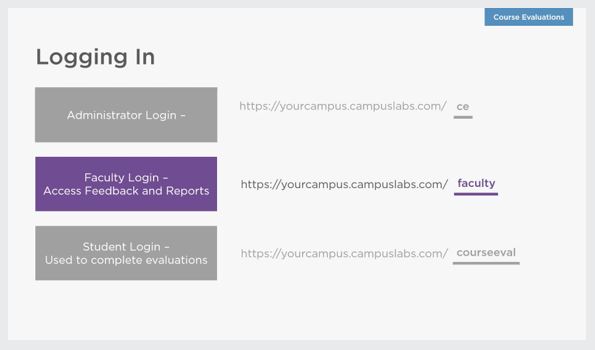
- Students will use the link provided by their instructor.
- They can use their mobile device, computer, or tablet - without needing to download an app.
- The feedback tool will only be open for two hours, so they should try to complete it as soon as they receive it, ideally during class.


Here are the questions that students are asked when the Feedback tool is launched.


Improving Your Pedagogy
IDEA offers a repository of recommendations to improve pedagogy based on IDEA scores. It is recommended to look for trends over a number of courses or terms and use the materials linked below as a guide for growth.