
Progress Report Overview
As part of teaching a course at National Louis University, you may be required to complete one or more progress reports throughout the academic term. These progress reports are mandatory, and their completion helps NLU ensure regulatory compliance and identify students who may need additional support. We want to set you up for success, so we have created this guide to help faculty better understand the progress report process.
Progress Report Process
Faculty complete progress reports in Retain, NLU's student success system. There are three types of progress report: Attendance, Midterm Engagement and End-of-Term Engagement. Attendance progress reports are due the week after a course starts, and are used to identify students who have not established attendance in their courses. Engagement progress reports are due halfway through your course. They are intended to identify students who are behind in their coursework or are otherwise struggling academically. End-of-Term Engagement reports are required for courses that are 8 weeks or longer and become available when approximately 80% of the course has been completed. These reports help identify students who may be at risk of not successfully completing their courses. Together, these progress reports allow the university to identify students who may need additional support and provide timely interventions to promote student success.
On weeks when progress reports are due, they become available on Monday and are due at noon that Friday. You will receive an email notification when a progress report assigned to you is opened, and you will receive additional email reminders each day the week it is due. Any progress reports that have not been completed by their deadline will be automatically submitted, and cases will be created based on system recommendations. Timely completion of your progress reports is important to ensure accuracy and prevent unnecessary work for the advising team.
How to Complete Your Progress Reports
To complete your progress reports, follow these instructions:
-
Open Retain by navigating to https://retain.nl.edu.
-
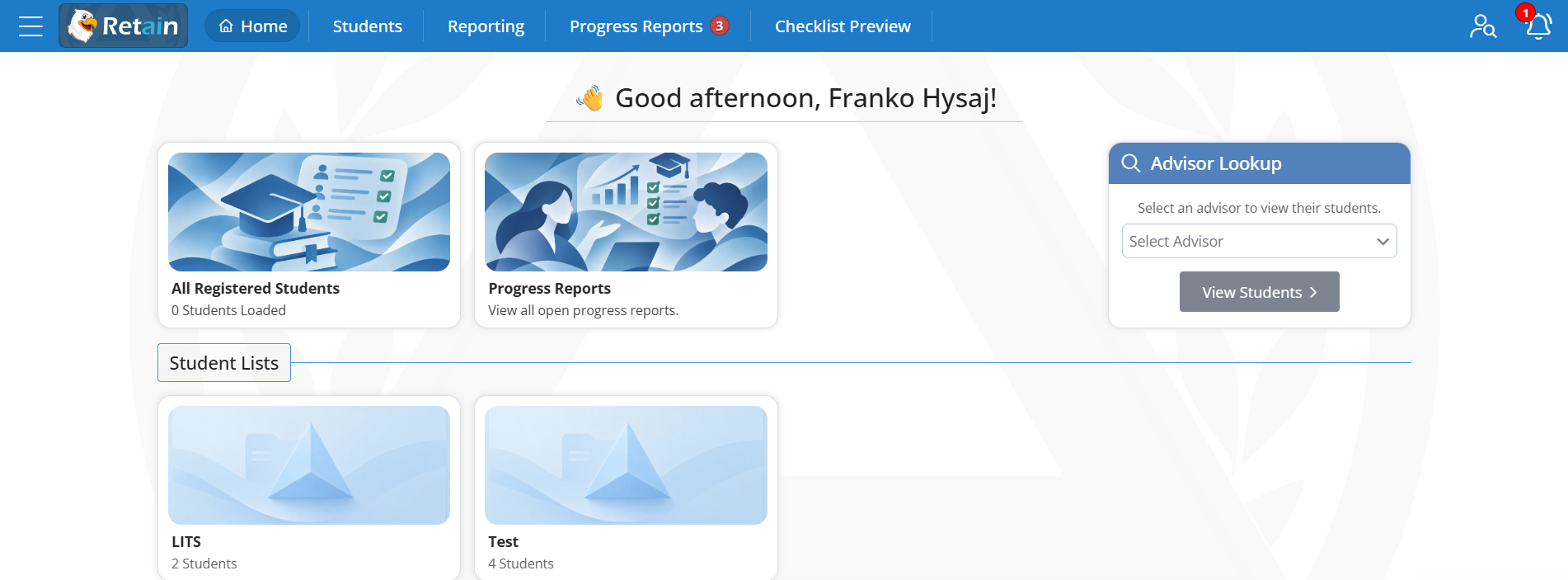
On the top navigation bar, click Progress Reports.
-
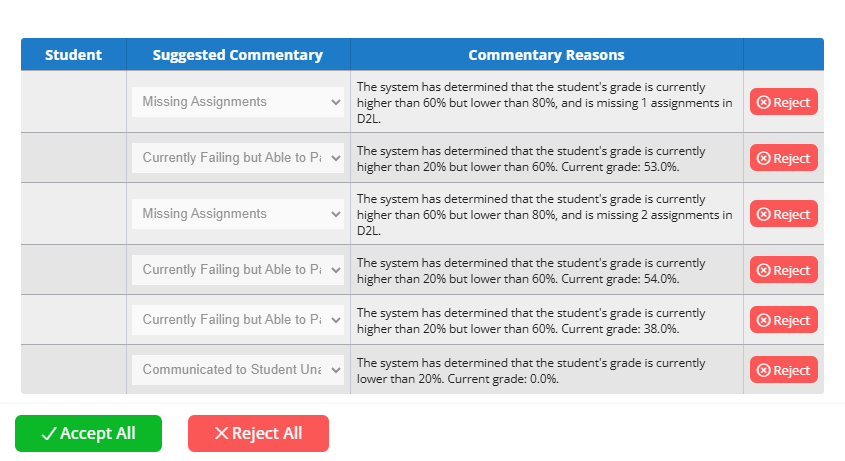
This page will display all the progress reports you have due for the week. When the page first opens, you will see a Progress Report Automation modal. This modal displays recommendations based on your students’ class activity. If any of the automated recommendations are inaccurate, you may reject them by clicking the Reject button to the right of the recommendation. If all of the recommendations are inaccurate, you can also click the Reject All button at the bottom of the modal. Once you have rejected any inaccurate recommendations, click the Accept All button to accept the remaining recommendations.
-
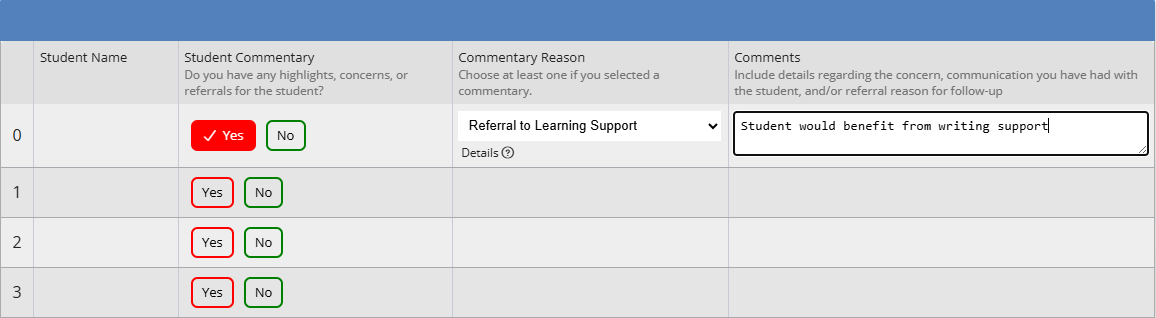
On the main Progress Report page, you can add any additional commentary you may have on your students by clicking the Yes button in the Student Commentary column. This will allow you to select a reason for your comments and enter comments about the student.
-
Once you have entered any comments you have on your students, you may click Submit All Students (I’m All Done) to complete your progress report. If you would like to save your work without submitting your progress report yet, click the Submit Only Marked Students (But I’m Not Done) button.

-
When your progress reports are submitted, cases will be opened for any students you made comments about, as well as for any automated recommendations you did not reject. These cases help advising, learning support, and other support staff assist students who may need additional support.
