Adding Funds to Your Student ID
This guide will walk you through how to use Web Purchase to add funds to your NLU account quickly and easily. Follow the steps below to get started.
What Is Web Purchase?
Web Purchase is a web application that allows you to add funds to your NLU accounts. Use the funds in your account at the Skylight Café, Daily Grind, and more!
Web Purchase Quick Start Guide
You can find a PDF version of this guide here.
Log In
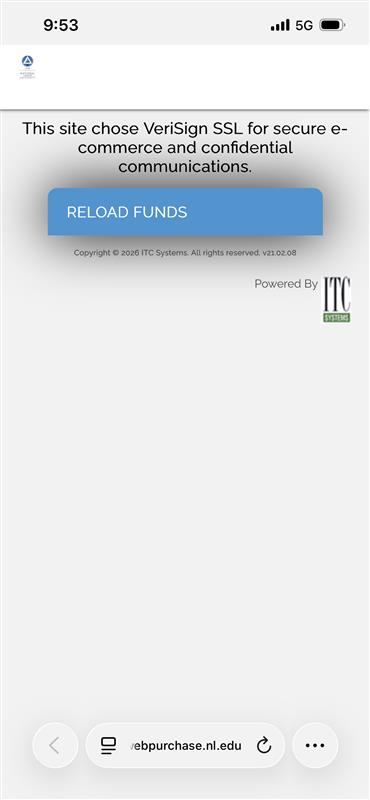
- Navigate your browser to webpurchase.nl.edu
- Click the Reload Funds button
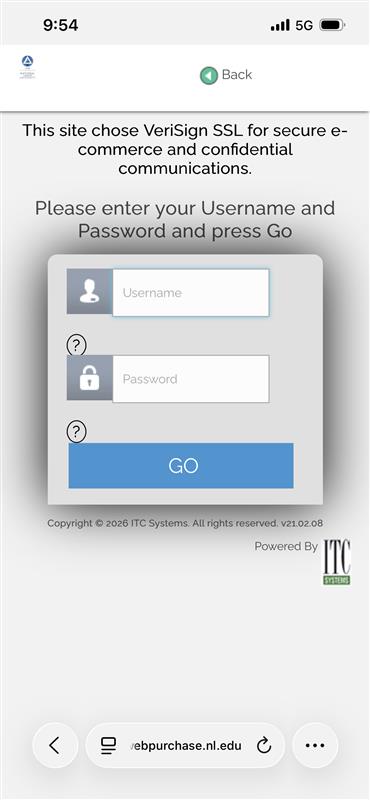
- Enter your NLU username and password and click GO
Review Account Balances
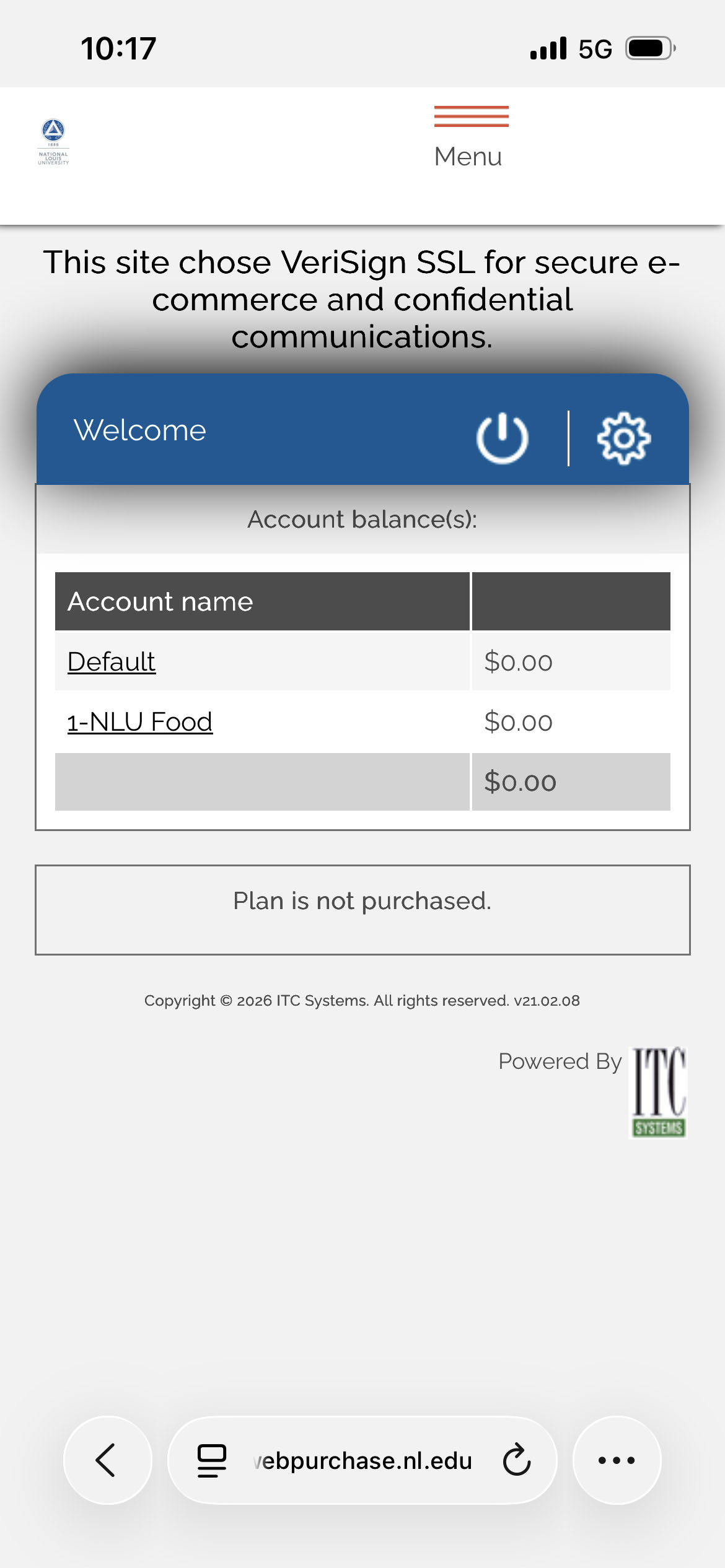
- The application opens on the Account Summary page
- Use this page to view your account balances
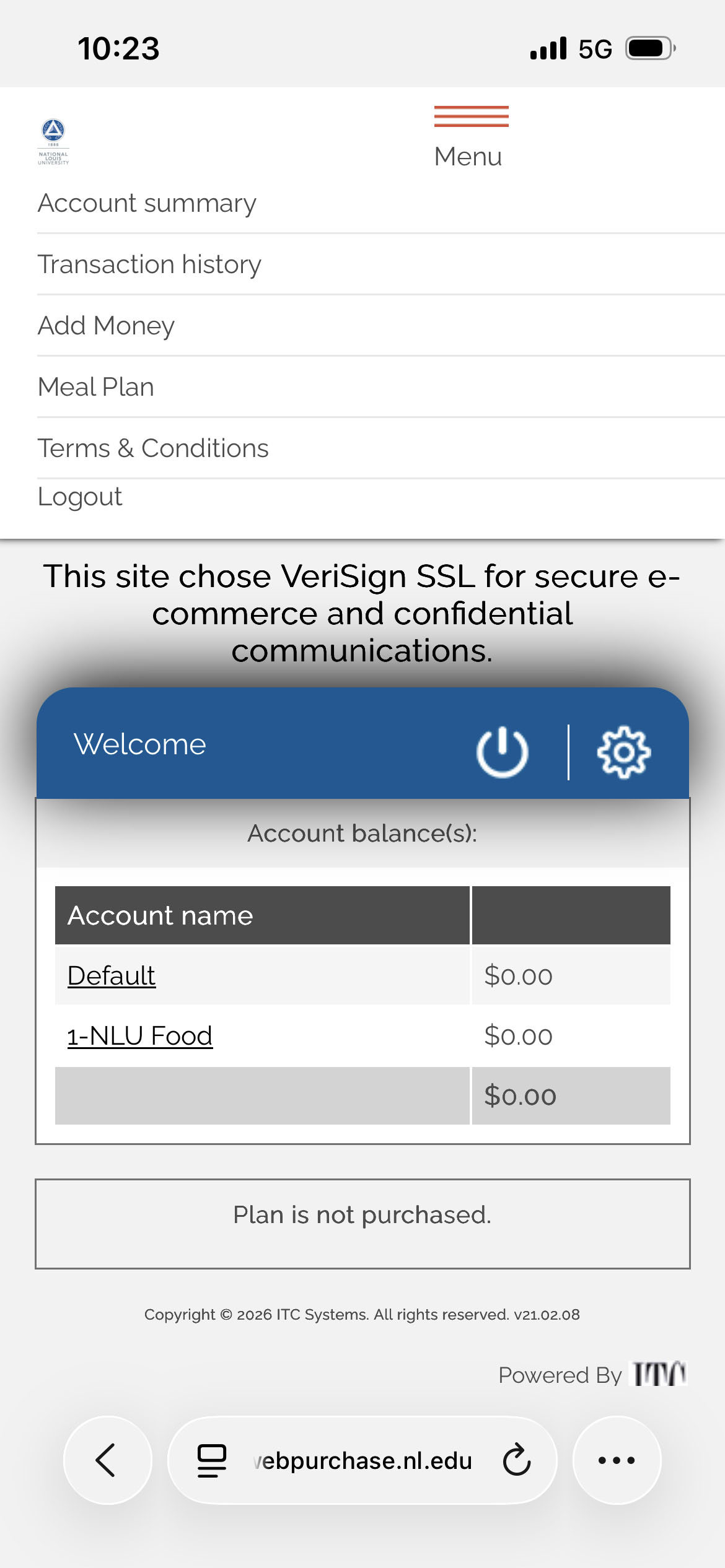
- Return to this page later by selecting Account summary from the dropdown menu at the top of the application
Add Money to Your Account
- Select Add Money from the dropdown menu at the top of the application
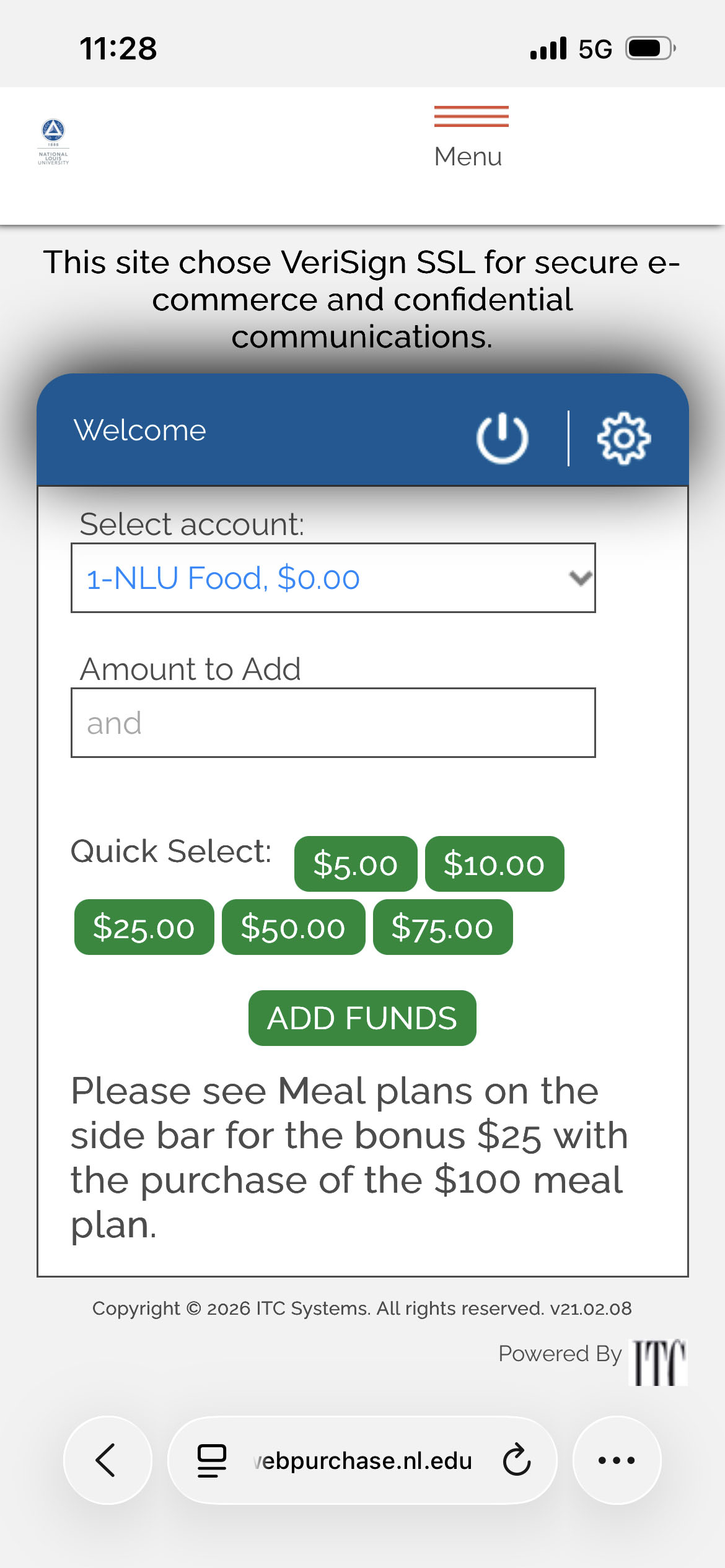
- Select 1-NLU Food from the Select account dropdown to add funds to your food account
- Enter the amount you wish to add in the Amount to Add field or select a dollar amount from the Quick select options
- Click ADD FUNDS
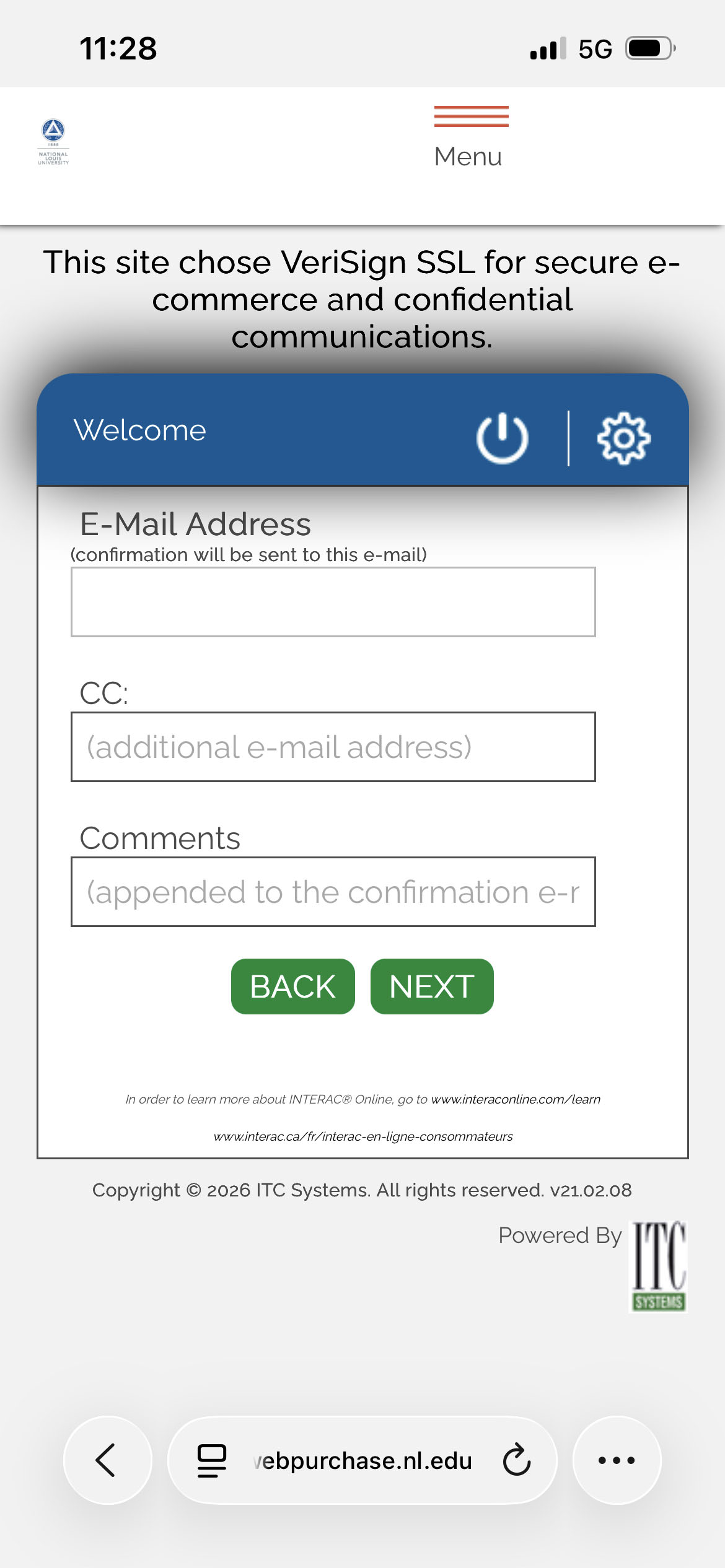
- Verify your email address. Then click NEXT
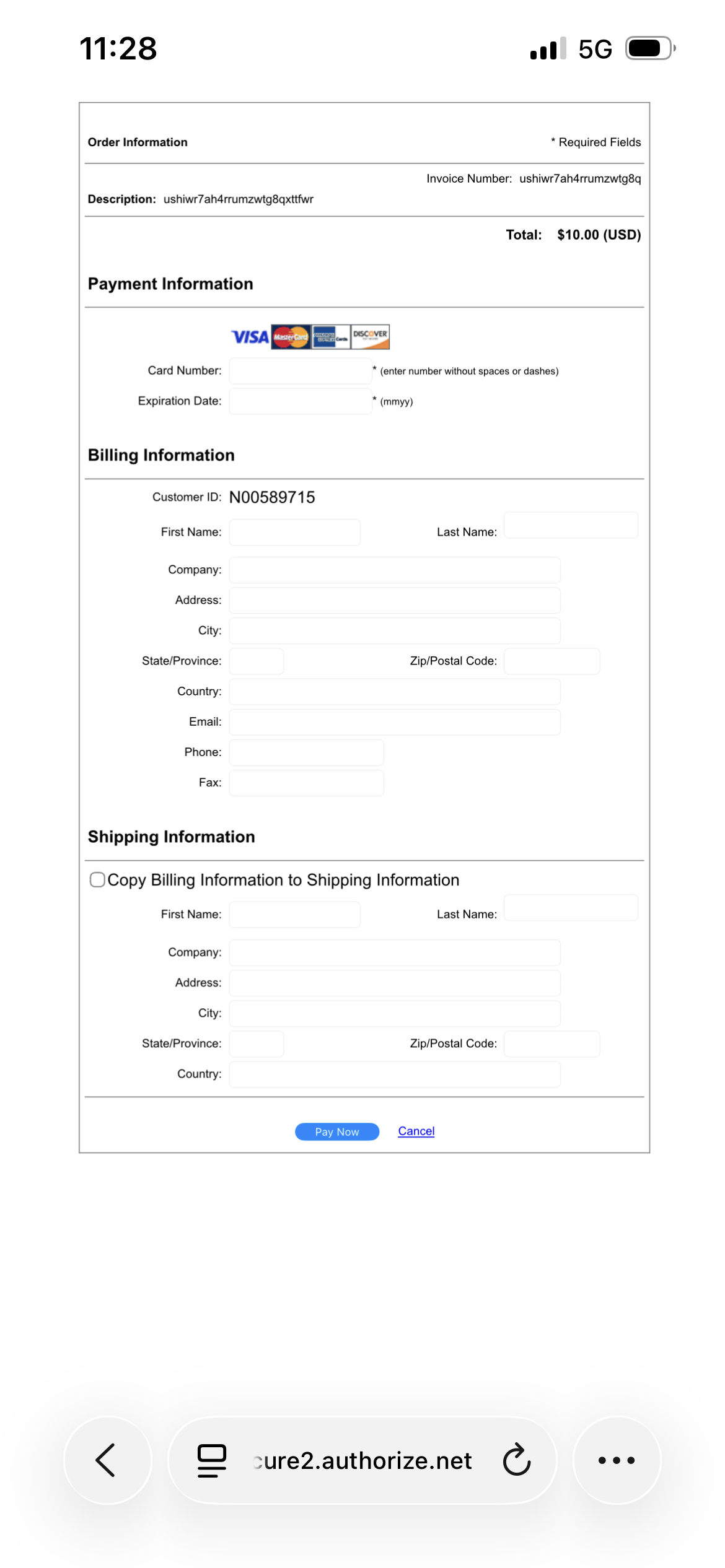
- Enter your credit card information on the secure form and click Pay Now
- Click the button on the next page to complete the transaction
- Your funds are now available!
Save Money with a Meal Plan
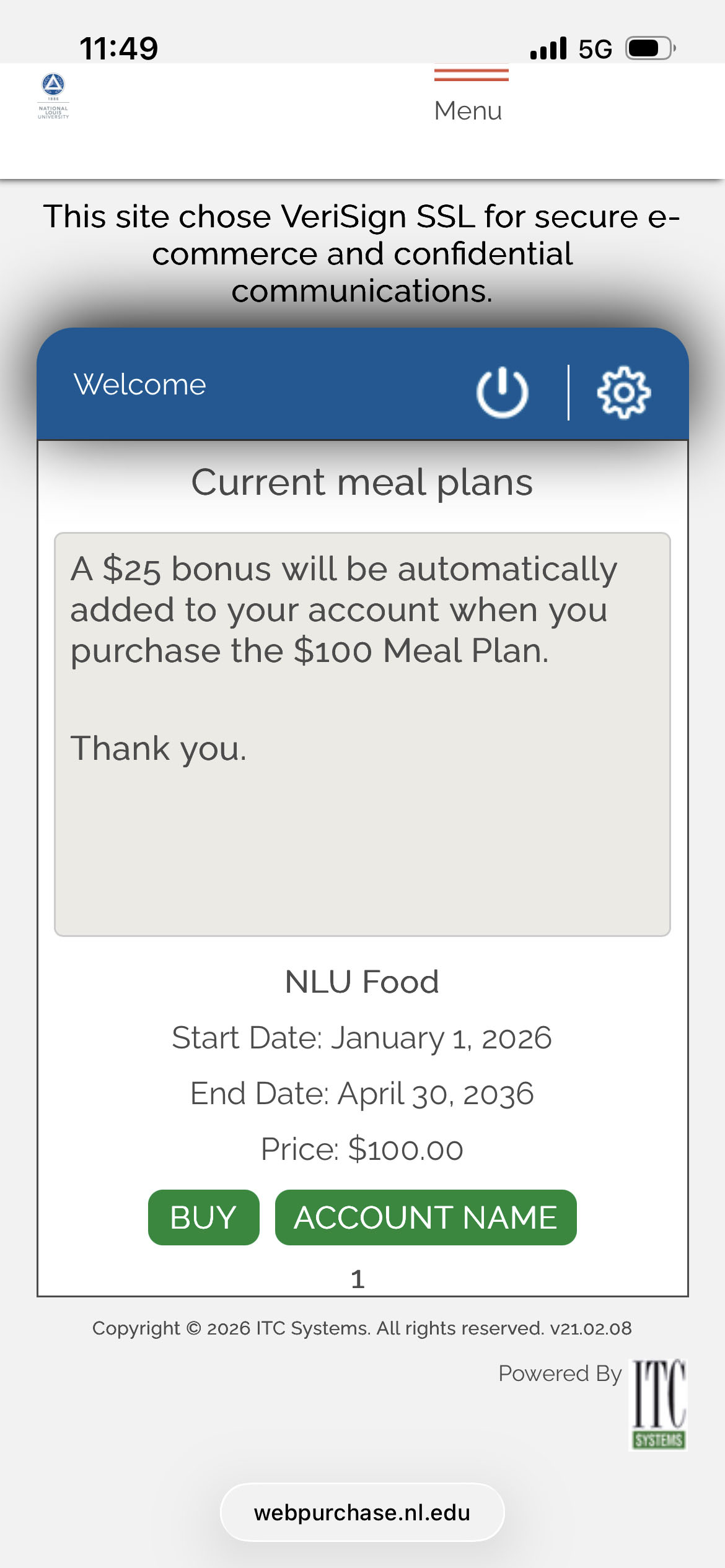
Get $25 free when you purchase a $100 meal plan!
- Select Meal Plan from the dropdown menu at the top of the application
- Click BUY
- Verify your email address and click NEXT
- Enter your credit card information on the secure form and click Pay Now
- Click the button on the next page to complete the transaction
- Your funds are now available!