
Restore Groups and Categories in D2L
Do you use Groups in D2L? Have you ever accidentally deleted a Group and had to recreate it manually? Now you won’t have to! With the D2L Groups tool’s new Recycling Bin feature, instructors can now restore deleted groups and linked activities in their courses.
How to Restore Groups and Categories in D2L
The Groups tool allows instructors to assign students to different groups for group projects and other activities in D2L. Previously, if you accidentally deleted a group, you would have to manually recreate it. Now you can easily restore the group by using the new Recycle Bin feature. Here's how:
- In the Manage Groups menu, click the recycle bin button to open it.
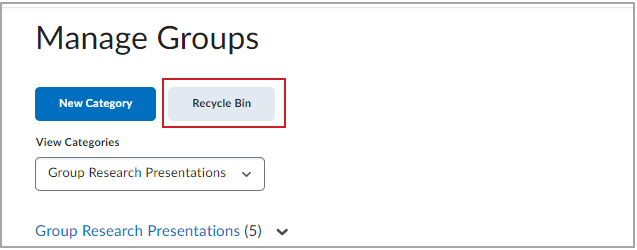
- Then select any groups or categories you wish to restore and click the restore button.
- After restoring a group or category, you may then individually restore any linked activities, such as discussions or assignments through their respective restore pages.
Additional Resources:
