Discussion Due Date Bug and Workaround (UPDATED)
Update: This bug has been resolved. Due dates on discussion topics will now save as expected.
As part of its December 2025 release, D2L has added the ability for instructors to add due dates to discussion topics. Unfortunately this feature shipped with a significant bug: the date does not save after being entered. D2L is aware of the bug and is working on a fix. In the meantime, we advise instructors to add due dates for discussions in Content rather than Discussions, as due dates will save correctly there.
-
Inside a Content module, select Discussions from the Existing Activities dropdown. Then choose the discussion topic to which you wish to add a due date.
NOTE: Make sure that you are adding a Discussion Topic here and not a Discussion Forum. Discussion Forums do not have due dates associated with them, and any dates added here will not be populated into Simple Syllabus.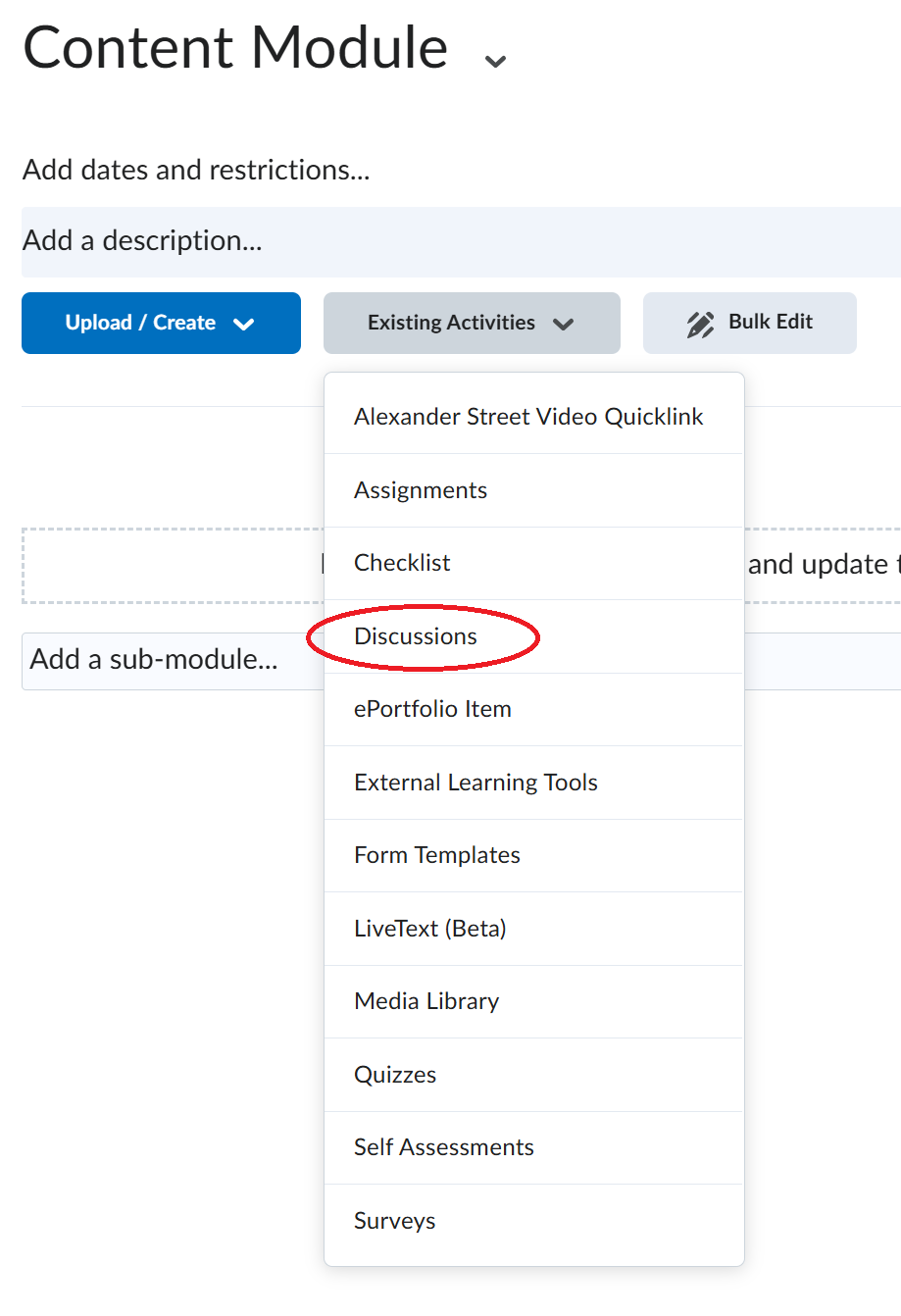
-
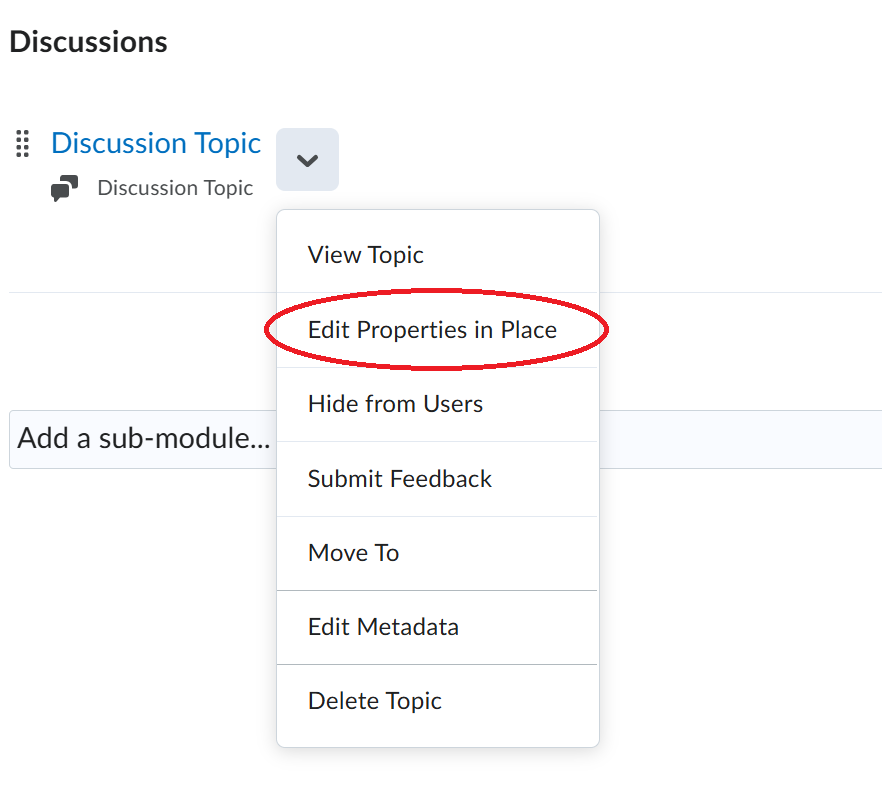
Once you have added your discussion topic to the module, click the down arrow next to the discussion topic and click "Edit Properties in Place".
-
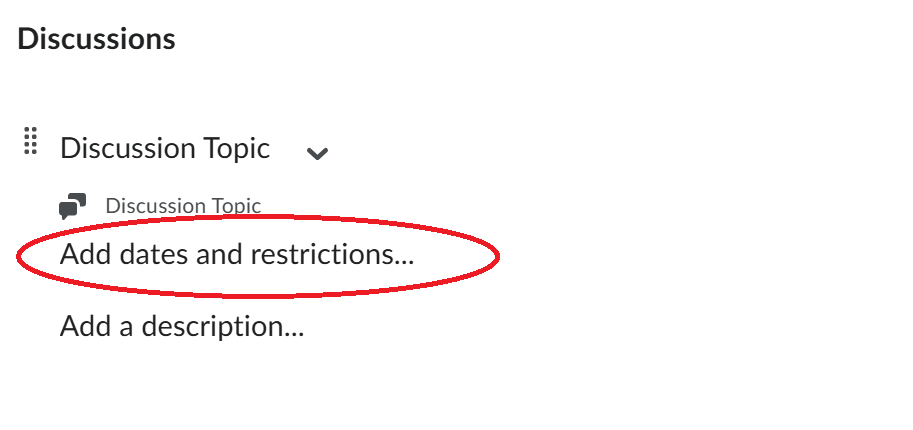
Click "Add dates and restrictions..." beneath the Discussion Topic.
-
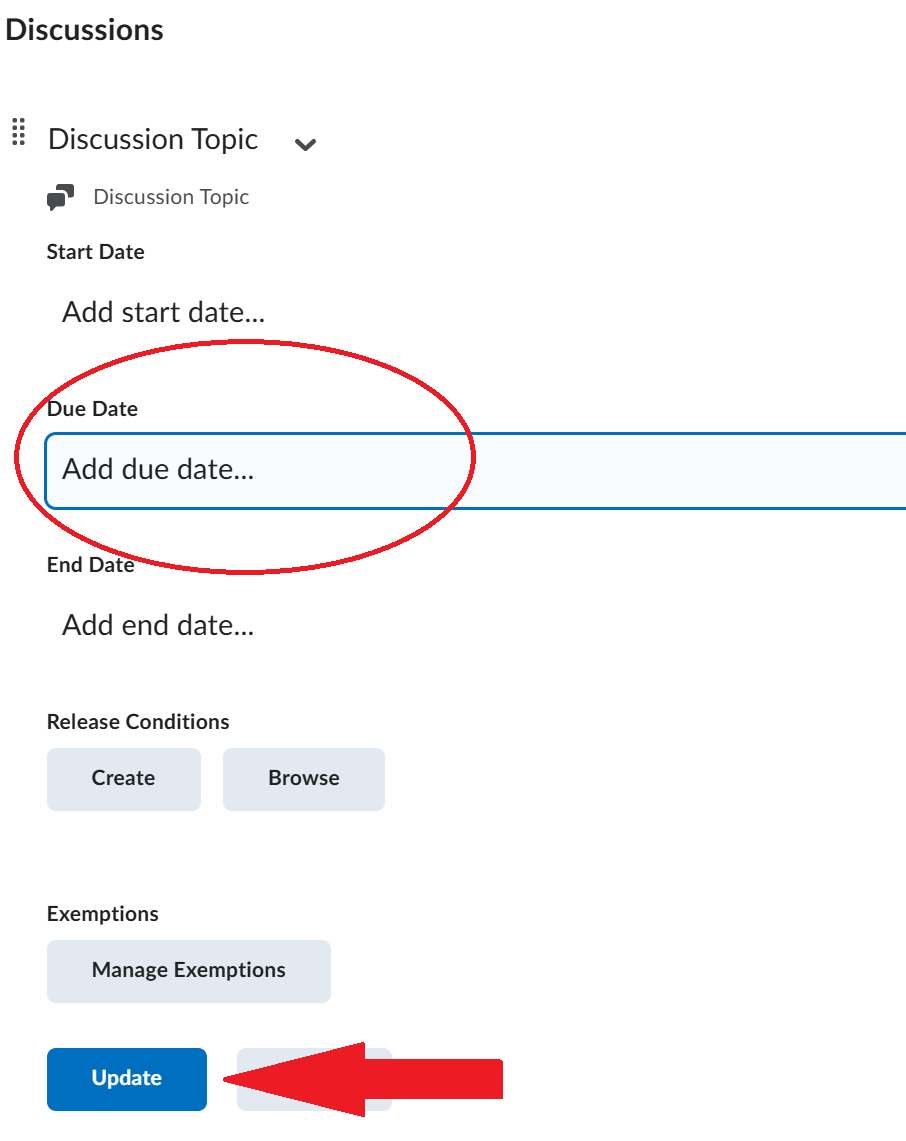
Click "Add due date..." and select the desired due date from the calendar widget. Then, be sure to click the Update button to save. You may need to scroll down to see this button.